Print barcode labels from what you actually received
Turn quantities already recorded in Shopify into ready-to-print barcode labels — without entering them again.
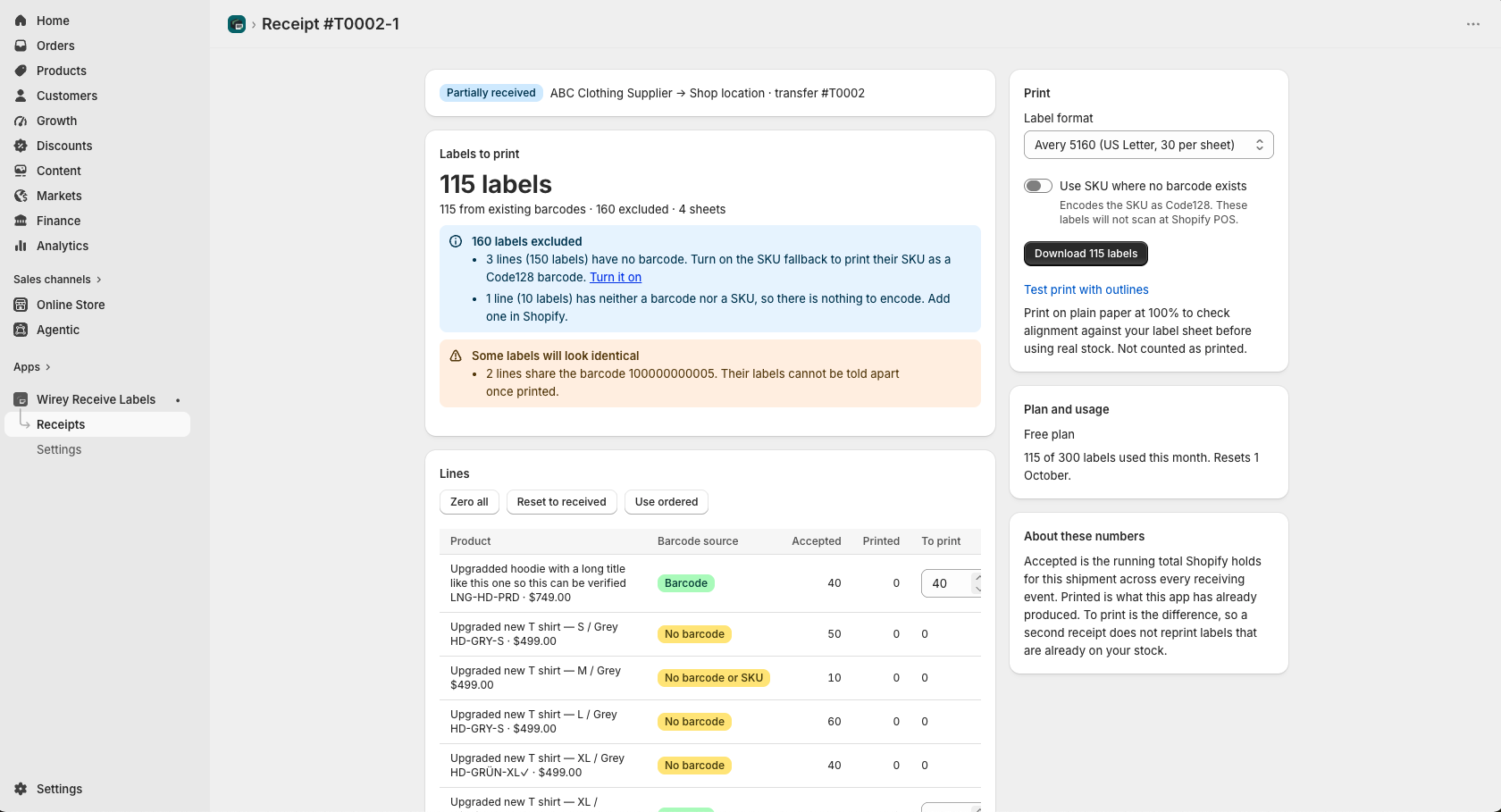
You already entered the quantities once
When inventory arrives, Shopify already knows how many units you accepted. Printing barcode labels shouldn’t mean selecting those products and entering the same quantities again.
Wirey Receive Labels removes that duplicate step.
From received inventory to barcode labels
A focused workflow built around inventory you’ve already received in Shopify.
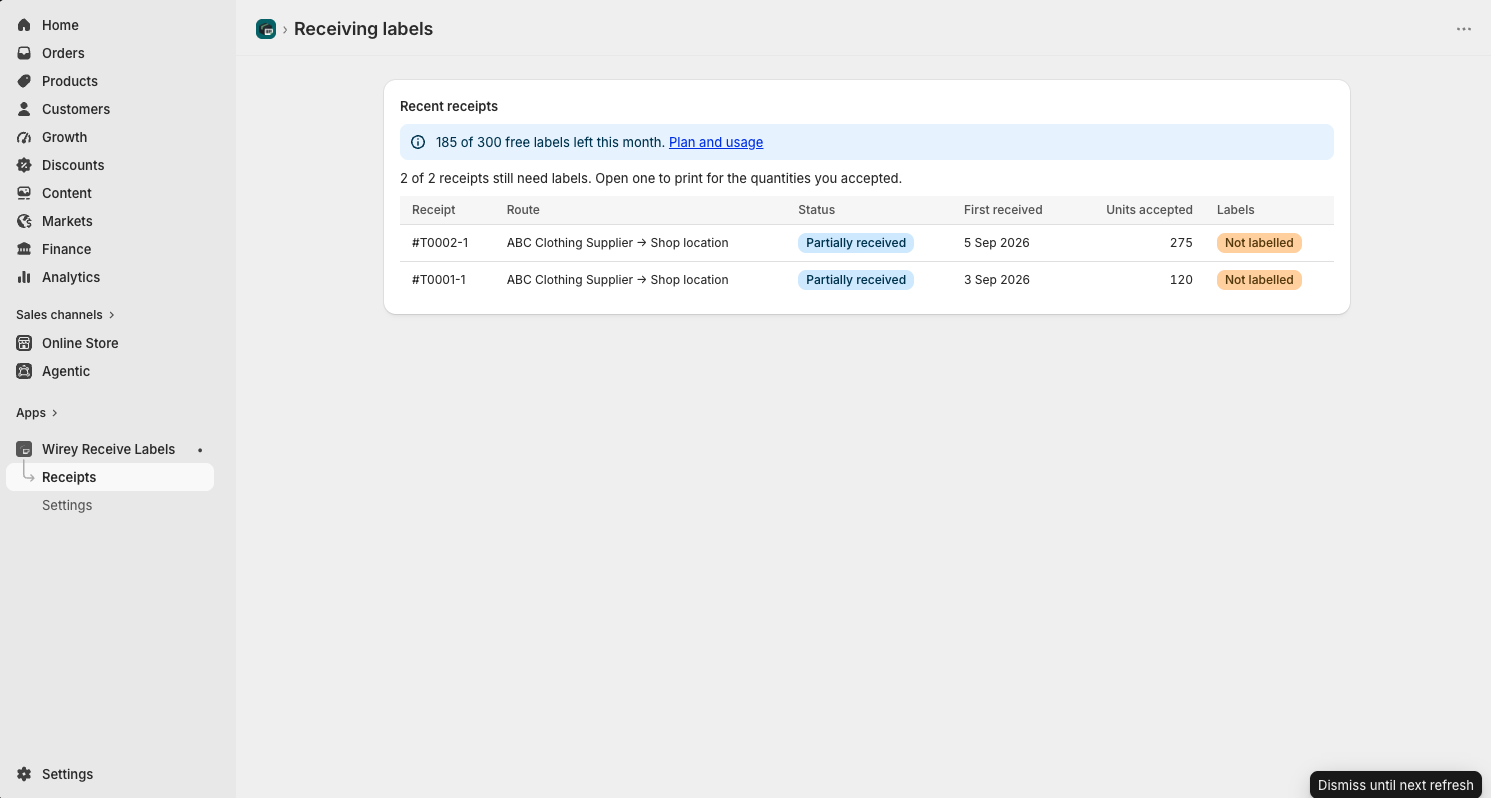
Open a recent receipt
See recent Shopify receipts, accepted quantities and which receipts still need labels.
Print only what still needs a label
Wirey Receive Labels uses the quantities accepted in Shopify and calculates what remains to be printed.
Partial receipt? Print only the inventory that actually arrived.
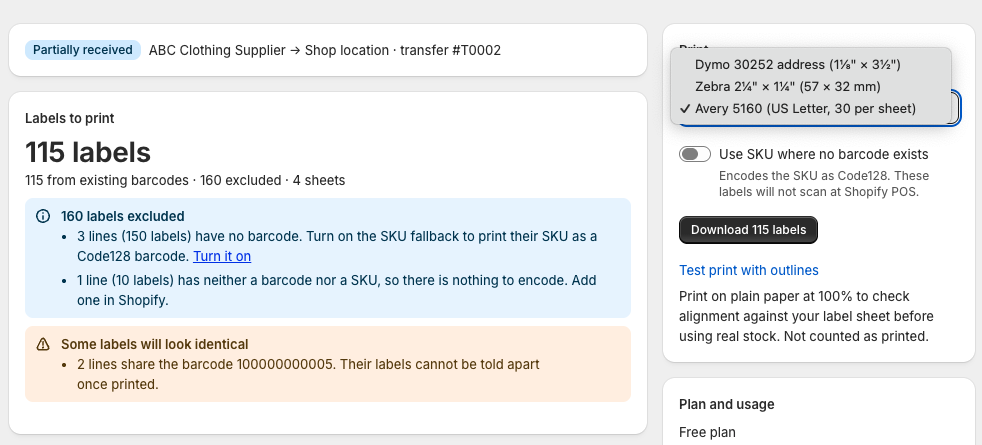
Choose your label format
Select a supported Avery, Zebra or Dymo layout before generating your labels.
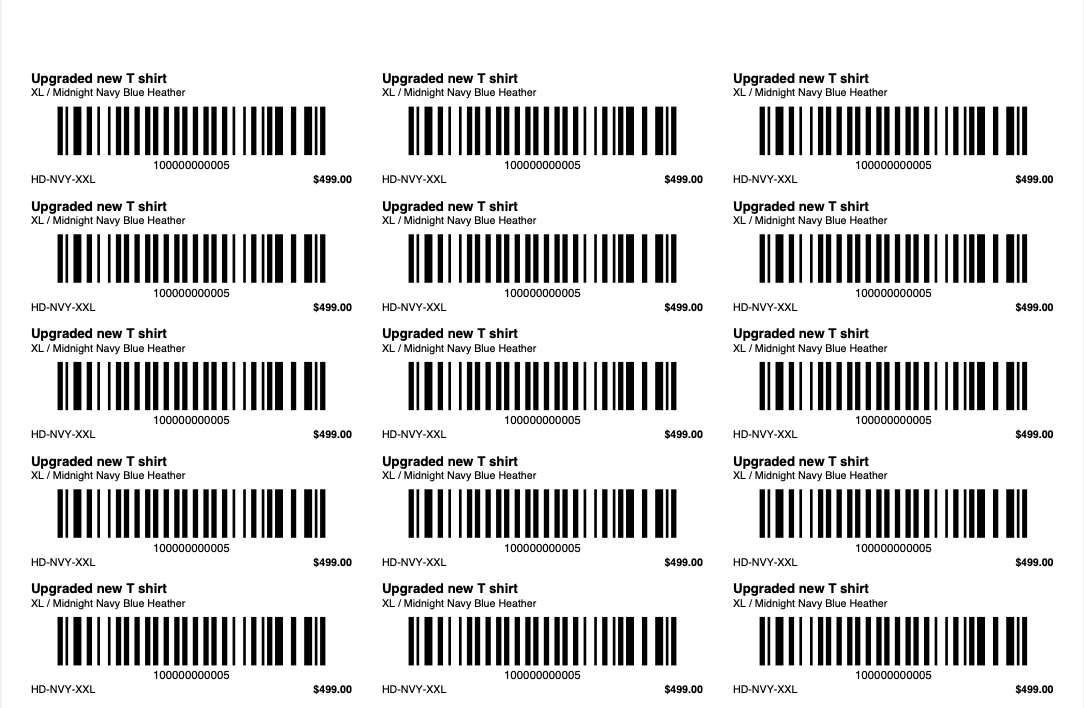
Download your barcode-label PDF
Generate a print-ready PDF using the product information and barcode values already stored in Shopify.
A small app for one repetitive job
Received quantities automatically
Use quantities already accepted in Shopify instead of entering them again for label printing.
Partial receipts
If only part of a shipment arrives, generate labels only for the inventory that was actually received.
Reduce duplicate labels
Track labels already produced for a receipt so later deliveries don’t unnecessarily print them again.
Existing Shopify barcodes
Use barcode values already stored on your Shopify product variants.
Barcode checks before printing
Spot missing barcodes, missing SKUs and shared barcode values before creating the PDF.
Simple PDF output
Generate a ready-to-print PDF. Wirey Receive Labels does not manage printer drivers or hardware.
Use the labels you already have
Choose from tested label layouts designed for common sheet and thermal printing workflows.
What Wirey Receive Labels does
It does
It doesn’t
Common questions
Does Wirey Receive Labels change my inventory?
No. The app is focused on reading receipt information and generating labels. It does not receive, adjust or modify your inventory.
Does it work with partial receipts?
Yes. Wirey Receive Labels uses the quantities actually accepted and calculates the labels that still need to be produced.
Does the app generate new Shopify barcodes?
No. It uses barcode values already stored on your Shopify variants. An optional SKU fallback can be used where supported.
Does it print directly to my printer?
No. The app generates a print-ready PDF that you print using your existing printer workflow.
Which label formats are supported?
Current formats include Avery 5160, Zebra 2¼ × 1¼ inch, and Dymo 30252.
Stop entering received quantities twice
Turn Shopify receiving data into ready-to-print barcode labels.